 Slids
SlidsWhy a carousel for a birthday?
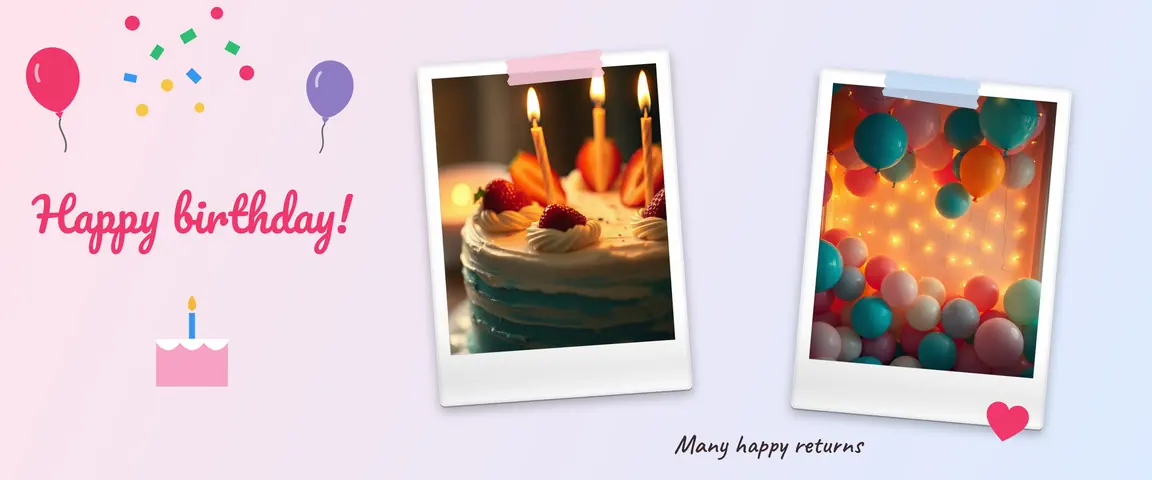
A birthday post is really a collection of memories: years together, funny moments, the little things that make someone who they are. A carousel lets you tell them in order. In a seamless carousel, photos spill over the slide borders and balloons and confetti cross from one slide to the next, so swiping feels like unwrapping a present.
 123
12310 birthday carousel ideas
1. Us through the years
One photo for every year since you met. The oldest photo on the first slide, the newest on the last. Add a small year label in the corner of each photo.
2. 10 things about you
Each slide pairs one trait with a matching photo: “Not a morning person”, “Makes the best pancakes”. Personal and funny, perfect for friends.
3. Then and now
A childhood photo on the left, today on the other side of the border. The years flow by as people swipe. A favorite for family birthdays.
4. Party highlights
A photo dump of the birthday party: the cake, the candles, the gifts, the dancing, the group shot. Follow the order of the night; the photo dump ordering tips apply here too.
5. Your own birthday: a year in review
Turning a year older? Share your favorite moments from the past year, one slide per month or the three big moments. Put your new age in a big number on the cover.
6. For your partner: from the first day to today
The first date, the first trip, the inside jokes. Heart-shaped frames and a handwritten-style note card add warmth. End with a few lines, like a short letter.
7. A thank-you to mom or dad
Scan old family photos or photograph them with your phone, and place them next to recent ones. Add a slide listing what they taught you, from riding a bike to a favorite recipe.
8. Your child’s new age
The milestones of the past year: first steps, first words, favorite toy. Before sharing photos of children on a public account, think about your privacy settings and who can see them.
9. For a friend far away
For a birthday you can’t spend together: shared memories and a “we miss you” note. Each friend in the group could contribute a photo or a short wish.
10. A story series
3–5 stories to post through the day: “guess whose birthday it is” in the morning, photos at noon, the celebration at night. With the “Story · Reels 9:16” format in Slids, you can design them all in the same style and post them in order.
Sample plan: a 5-slide celebration
- Slide 1, the cover: the best portrait and a big “Happy birthday” headline. Let a balloon or confetti cross the right border.
- Slides 2–3: shared memories, with two polaroids sitting across the border between slides two and three.
- Slide 4: the funniest or oldest photo. The surprise slide.
- Slide 5, the closer: a short wish and the date, in readable text that stays inside the slide.
Step by step in Slids
- Find a template. Type “birthday” into the search box on the templates screen. Tap one you like and choose “Use this template”.
- Place your photos. Tap “Choose your photos” and pick them in the order you want; they fill the frames in that order. For more slides, add them with “Slides” at the bottom.
- Make it personal. Tap the headline to type the name. The “Handwriting” and “Invitation” fonts suit birthday notes well. Select a photo and use “Shape” for a heart or polaroid frame.
- Decorate. (+) Add → “Sticker” for decorations. To make your own sticker, press and hold the person in a photo in the iPhone Photos app, tap “Copy”, then tap “Paste” in the “Mine” tab in Slids.
- Save and post in order. Pick the slides on Instagram in order, 1, 2, 3…, and tag the birthday person.
Short caption ideas
The carousel does the talking, so keep the caption short and warm. Save a longer message for the last slide or the caption.
- “Another year of you. Happy birthday!”
- “Swipe: the best moments of this year were with you.”
- “Here’s to everything you wish for this year. The big slice of cake is on us.”
- “The years go by and we keep taking the same photo.”
- For your own birthday: “New age, new page. Swipe for the moments I’m keeping from last year.”
Small tips
- Posting at midnight? Prepare it the day before. Slids saves unfinished work as a draft; open it from “Continue where you left off” on the home screen, then save and post when the time comes.
- Keep the name and the wish inside a slide. Text sitting on a slide border gets cut in two as people swipe.
- Don’t worry about mixed photo quality. Putting old, blurry photos into polaroid or film frames turns their age into a style.
For other special days, see 15 Instagram carousel ideas; for the basic technique, the seamless carousel guide.